 English
  日本語
日本語  Deutsch


Electronics enclosures do more than cover a circuit board. They protect components, provide mounting points and cable access, and give a product a finished appearance. For teams developing sensors, controllers, connected devices, and custom instruments, 3D printing enables rapid design iterations without production tooling. It is also useful for customized and low-volume builds.
A successful enclosure must do more than look right in CAD. Material selection, assembly clearances, heat management, and service access all affect performance. Start with the electronics and operating environment, then match the geometry and printing process to the requirements.
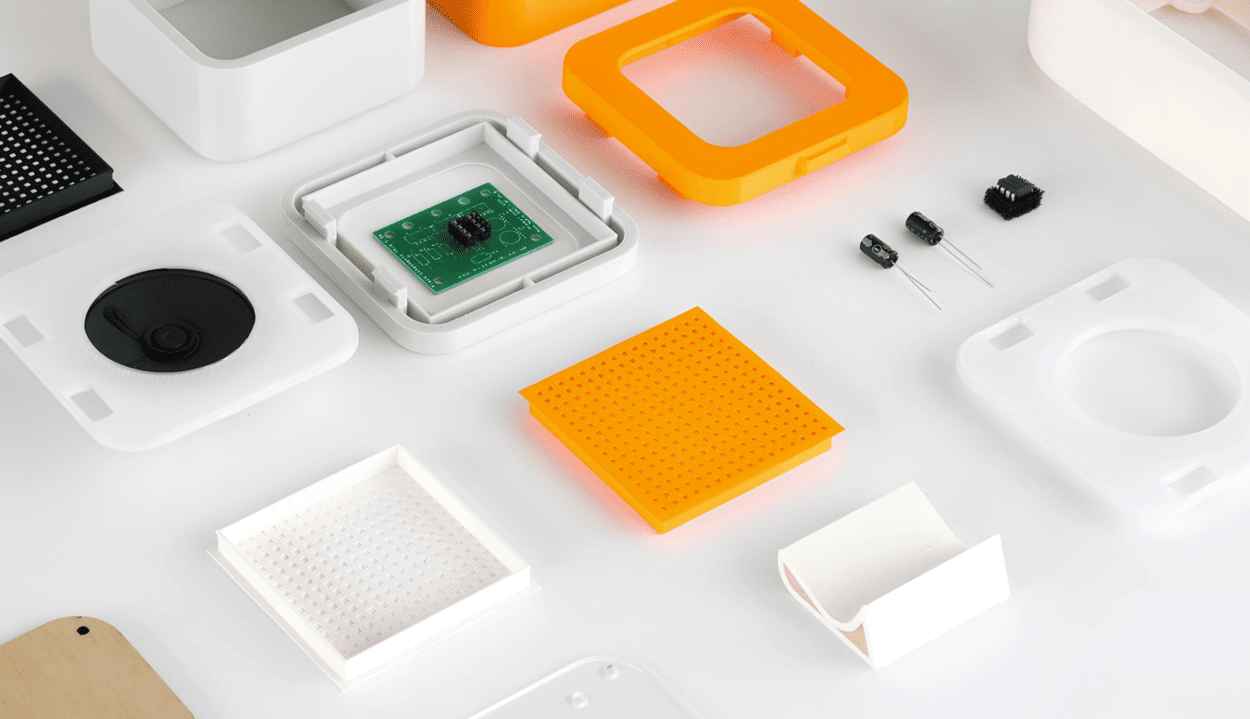
Image Source: Protolabs Network
Choosing the Right Materials and 3D Printing Technology
The right material and 3D printing technology depend on whether an electronics enclosure is intended for visual prototyping or functional use. Consider operating temperature, impact resistance, surface quality, dimensional stability, and environmental exposure when comparing the available options.
|
3D Printing Technology |
Common Materials |
Key Advantages |
Limitations |
Best Applications |
|
Standard Resin, Engineering Resin |
Smooth surface finish, fine details, and high dimensional detail |
Material properties vary; some resins can be brittle or have limited heat and UV resistance |
Visual prototypes, detailed housings, and enclosures with small openings |
|
|
Nylon PA12, Nylon PA11 |
Good mechanical strength, durability, and design freedom without dedicated support structures |
Typically rougher surface texture; dimensional accuracy and moisture absorption depend on the material and process |
Functional housings, protective cases, and complex enclosure geometries |
|
|
Nylon PA12, other compatible engineering polymers |
Efficient production of functional polymer parts, with consistent detail across batches when properly controlled |
Surface finish, color options, and material properties depend on the available process and finishing options |
Low-volume production, customized enclosures, and functional electronic housings |
Material selection should also reflect the enclosure's operating environment. For example, a housing exposed to repeated handling may benefit from a tough nylon material, while a detailed presentation prototype may be better suited to SLA resin. For elevated temperatures, outdoor exposure, or repeated snap-fit assembly, verify the specific material's performance rather than relying on the printing technology alone.
Achieving Proper Fit and Assembly
Design around the actual electronics, not just the outline of the printed circuit board. Include component height, connector bodies, cable bend radius, switches, and parts that must remain accessible after assembly. A small mismatch at a USB port or mounting hole can make a housing difficult to use.
Allow clearance between the PCB and enclosure walls, and check standoff positions against the board’s mounting-hole pattern. Keep posts clear of solder joints and components. For ports and controls, account for connector dimensions and the room needed to plug in cables. Test display and button openings with the real components whenever possible.
Lids, seams, and fasteners need their own allowances. A fit that works with one printing process may be too tight or loose with another because variation depends on technology, material, geometry, and finishing. Treat general tolerance values as starting points, and print a small fit-check section or prototype before ordering a batch.
Choose assembly features based on how often the enclosure will be opened. Screws provide reliable clamping and service access. Threaded inserts improve durability when a cover is removed repeatedly. Snap-fit tabs reduce hardware and enable tool-free assembly, but their geometry and print orientation need care; rigid materials may crack under repeated flexing. For critical assemblies, combine locating features with fasteners rather than relying only on friction.
Designing for Functional Performance
Start with thermal management. Processors, power components, and batteries generate heat, which can build up inside a closed housing. Vent slots, internal spacing, and an airflow path can help, but openings may compromise dust or water protection. For high heat loads, consider heat sinks or conductive paths instead of relying on ventilation alone. Most standard printed polymers conduct heat poorly, so the enclosure should not be treated as a heat sink unless its material and design support that function.
Mechanical strength depends on wall thickness, ribs, corners, mounting points, and load direction. Reinforce screw bosses and mounting ears, and use rounded transitions where walls meet posts to reduce stress concentration. Thin walls can flex or crack around fasteners; strategically placed ribs can improve stiffness without making the entire housing bulky.
For dusty, wet, or outdoor environments, plan sealing from the beginning. Mating lips, gasket grooves, sealed cable glands, and suitable fasteners may help limit ingress. However, do not assume a printed housing meets an IP rating without testing. Seams, surface texture, material porosity, and post-processing can all affect sealing.
Electrical performance matters, too. Ordinary plastic generally provides little EMI shielding by itself. Where shielding is required, conductive coatings, metal foil, conductive gaskets, or integrated metal components may be necessary. Grounding and seam continuity matter, so evaluate the complete assembly rather than the enclosure shell alone.
Finally, design for maintenance and product life. Make batteries, connectors, and serviceable components accessible. If the housing will be opened often, robust fasteners and replaceable covers may last longer than delicate snap features. Test fit, heat buildup, repeated assembly, impact, and any required environmental protection before finalizing the design.
3D Printing vs. Injection Molding for Electronics Enclosures
|
Factor |
3D Printing |
Injection Molding |
|
Initial investment |
Low; no production mold |
Higher due to tooling |
|
Design changes |
Generally easier |
May require mold changes |
|
Customization |
Good for variants and one-off parts |
Better for standardized designs |
|
Production volume |
Prototypes and low-to-medium volumes |
Often preferred at high volumes |
|
Geometry |
Supports complex features |
Must account for mold access and release |
3D printing and injection molding serve different production needs. 3D Printing avoids dedicated mold tooling and makes design changes relatively easy, which helps during prototyping, customization, and low-volume production. It can also produce complex shapes without all the constraints of a mold.
Injection molding requires upfront mold development, but its per-part cost can become attractive at higher volumes. It supports repeatable production and a wide range of thermoplastics, while designs must account for draft angles, wall consistency, and tool release.
Custom 3D Printed Enclosures at 3DSPRO
3DSPRO offers custom 3D printing for product prototypes and functional components. SLA, SLS, and MJF can support different enclosure priorities, from smooth surfaces and fine details to durable polymer housings. The right option depends on geometry, material requirements, assembly method, finish, and operating conditions.
Before submitting a design, check component dimensions, connector openings, mounting points, lid clearances, and fastener locations. Identify heat sources and any need for seals, shielding, or regular access. For critical interfaces, validate the fit with a prototype and test the assembled enclosure under realistic conditions.
A well-designed 3D printed electronics enclosure brings materials, fit, and function together. Matching the process to the application and testing the complete assembly helps reduce redesigns and move from prototype to dependable custom parts.
 0
0


COMMENTS
- Be the first to share your thoughts!